Home Blog

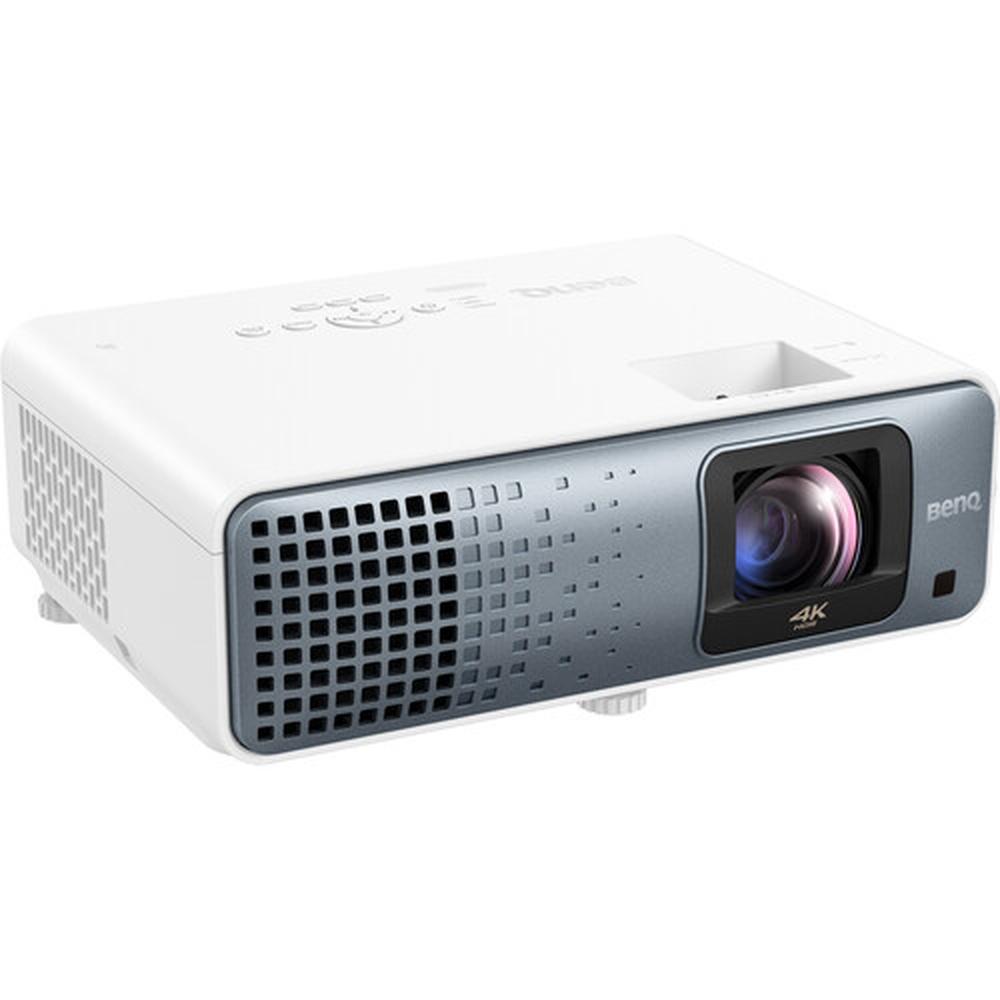
BenQ X500i vs X3100i: Honest Buyer’s Comparison

0

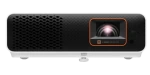
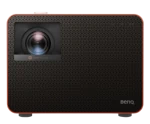
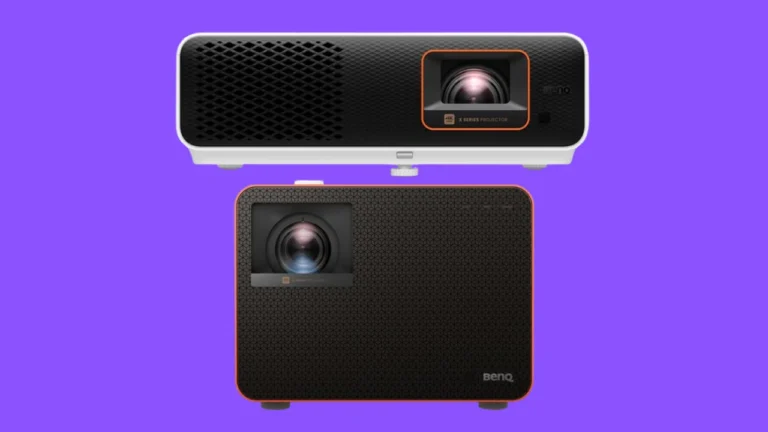
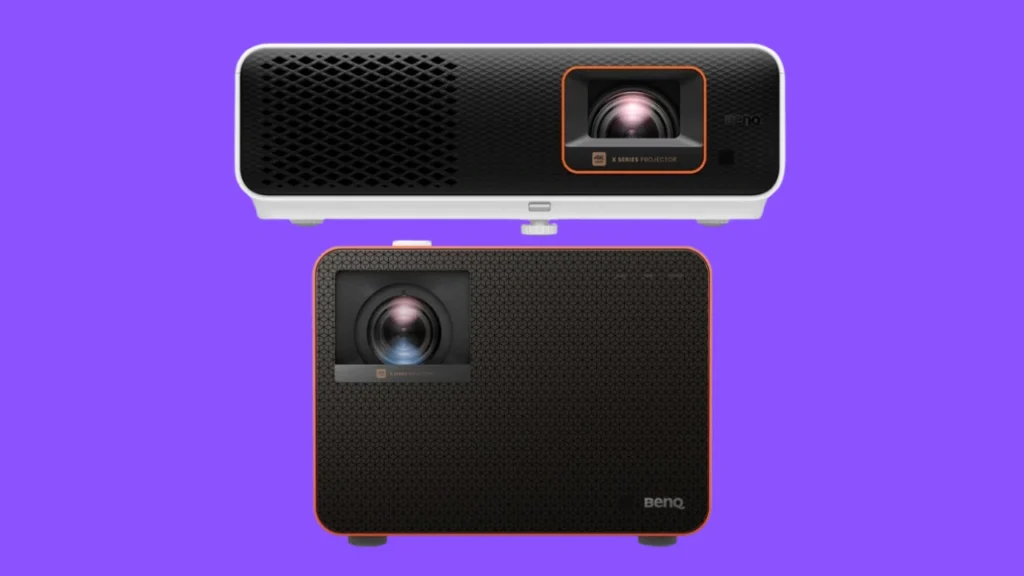
Today we’re comparing two of BenQ’s latest gaming projectors: the X500i and the X3100i. Both are marketed as gaming-focused models and launched around the same time, but there’s a big catch—a $700 price gap between them. With similar release windows and gaming ambitions, the real question is: does the X3100i justify its much steeper price, or does the X500i deliver better value for most people? Let’s break it down.
In This Comparison:

BenQ X500i vs. X3100i: Specifications

BenQ X500i BenQ X3100i
Lamp Type LED LED
Resolution 3840x2160 3840x2160
Color Processing 10-bit 10-bit
Dynamic Contrast 600,000:1 600,000:1
Brightness (Lumens) 2,200 Lumens (ANSI) 3,300 Lumens (ANSI)
Included Lens 1.2x manual zoom , manual focus 1.3x manual zoom , manual focus
Lens Shift N/A Vertical +-10.00% / -10%
Throw Distance 1.8' - 7.5' 3.3' - 25.1'
Speakers 5.0 Watts × 2 5.0 Watts × 2
Measurements 4.65" x 14.41" x 9.61" 7.80" x 10.70" x 10.20"
Price

Check on Amazon

Check on Amazon

Take a moment to look over the spec table above—there’s a lot to unpack. On paper, the X500i and X3100i share several core features: both offer 10-bit color processing, identical dynamic contrast at 600,000:1, and the same ultra-low input lag across resolutions. But some key differences stand out. The X3100i boasts significantly higher brightness at 3,300 lumens versus the X500i’s 2,200, has a slightly greater zoom range, and includes vertical lens shift for easier setup flexibility. On the flip side, the X500i’s biggest edge is its much shorter throw distance, making it ideal for small rooms or tight setups. Specs give us the outline—but the real story is in how these projectors perform in actual use. Let’s get into it.

Image Quality

Video quality on BenQ X500i

We started our testing by focusing on image quality, evaluating both the X500i and X3100i in dark and daylight conditions. The most immediate difference was brightness. The X3100i’s 3,300 lumens gave it a clear edge in well-lit environments, delivering a more watchable and punchy image during the day. The X500i, while still solid in dim lighting, struggled more under direct daylight, where darker scenes lost detail.

Resolution is identical across both models—true 4K (3840×2160)—and both use the same DLP chip type with 10-bit color processing. Contrast performance felt comparable too, consistent with their shared 600,000:1 dynamic contrast ratio. In a dark room, both units delivered strong blacks and vivid highlights, with the X3100i’s higher brightness adding a bit more pop to HDR content.

Video Quality on BenQ X3100i

Throw distance was where the X500i stood out. It’s a short-throw projector, needing just about 5 to 6 feet for a 100-inch image. The X3100i, in contrast, required over 8 feet for the same screen size. That makes the X500i far more flexible in smaller spaces. Overall, the X3100i pulled ahead in raw image performance, but the X500i held its own surprisingly well—especially considering the price gap.

Winner: BenQ X3100i

Gaming and Sound

BenQ X500i gaming experience

For gaming, we tested both projectors across multiple consoles—PS5, Xbox Series X, and Nintendo Switch—focusing on fast-paced shooters and racing games. Input lag was nearly identical, with both models delivering smooth, responsive gameplay. Whether we were running at 4K/60 or pushing 1080p at 120Hz, we didn’t notice a meaningful difference in responsiveness. Both projectors also automatically detected the consoles and switched into their game-optimized modes without issue.

Visually, the gaming experience was equally solid on both. The X3100i’s extra brightness gave a slight edge in clarity under ambient light, but in a darkened room, the differences mostly disappeared. The built-in FPS crosshair and SettingXchange profiles on both units were easy to use and helpful for dialing in game-specific settings.

Gaming on BenQ X3100i

When it came to audio, though, the X3100i did have an edge. Both projectors include dual 5W speakers, but the X3100i features BenQ’s CinematicSound with Bongiovi DPS. In testing, this gave it slightly fuller sound with more depth and clarity—enough to notice, especially in dialogue-heavy games. Still, for serious gaming sessions, we’d recommend using an external audio setup with either projector.

Winner: a Tie

Smart Features
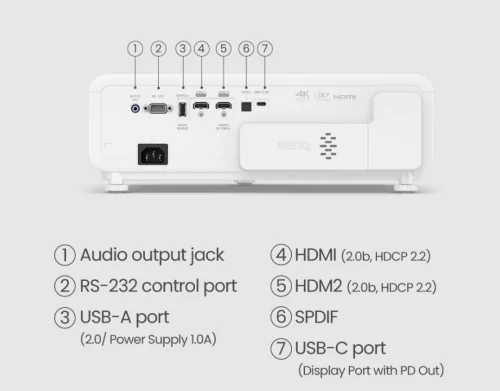
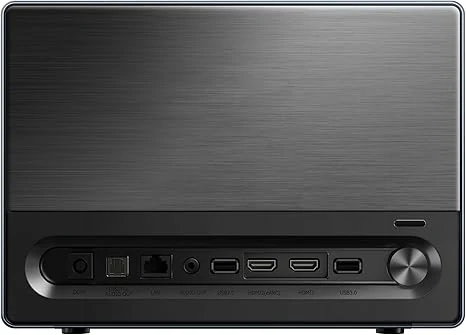
BenQ X500i connectivity

We also spent time testing the smart features on both models, and the experience was mostly identical. Both projectors run Android TV, are Google-licensed, and come with built-in access to streaming apps like YouTube, Netflix, and Prime Video. Navigation felt smooth on both units, and app loading times were quick and reliable.

Google Assistant voice control worked the same across both, and casting content from Android devices was seamless. We also tried sideloading a few apps, and the process was straightforward on both projectors. No surprises there—they’re functionally equal when it comes to streaming and smart TV use.
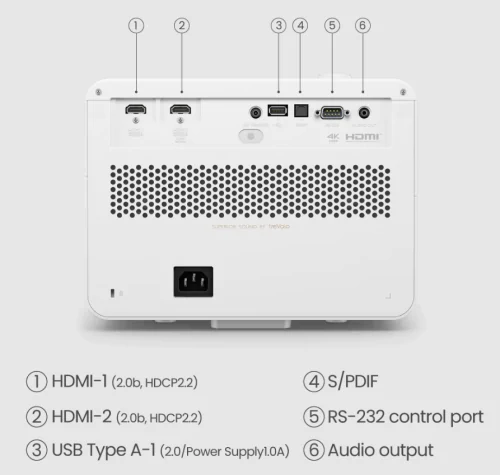
BenQ X3100i connectivity

One small difference: the X3100i has slightly snappier performance when switching between apps or multitasking. It’s subtle, but noticeable if you’re doing a lot of browsing or hopping between streaming and gaming. Still, for most users, the smart platform experience will feel virtually the same on both projectors.

Winner: a Tie


OVERVIEWS:

BenQ X500i
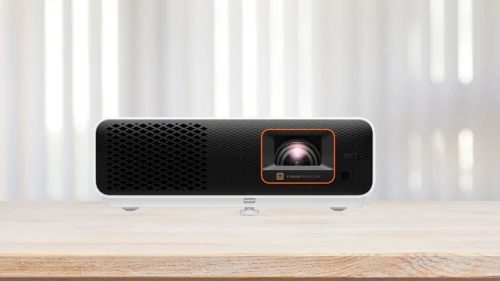
The BenQ X500i is a short-throw 4K gaming projector designed for smaller spaces and budget-conscious buyers. With 2,200 ANSI lumens and a sharp 600,000:1 dynamic contrast ratio, it delivers solid image quality in darker environments. Its standout feature is the short throw distance, making it ideal for compact rooms where space is limited. Thanks to low input lag and console auto-detection, gaming feels responsive and easy to set up. While it handles dark-room gaming and streaming very well, it falls behind slightly in bright-room performance compared to higher-end models.

Pros

  • True 4K resolution with sharp details
  • Very low input lag across resolutions
  • Short throw distance perfect for small rooms
  • Google-certified Android TV built-in

Cons

  • Struggles in bright, daylight-heavy rooms
  • No lens shift for flexible placement

BenQ X3100i
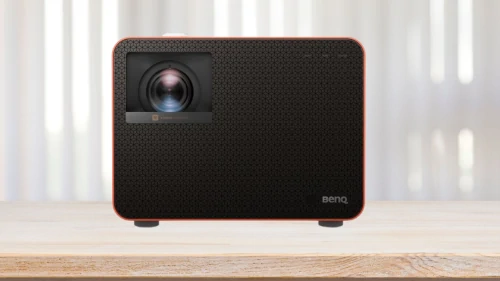
The BenQ X3100i aims higher, offering premium brightness at 3,300 ANSI lumens, slightly better zoom flexibility, and vertical lens shift for easier positioning. It maintains the same gaming advantages as the X500i—ultra-low input lag, automatic game mode detection, and console optimization—but brings a brighter, more vivid image to the table. Its improved audio with Bongiovi DPS also stands out, delivering richer sound without needing immediate external speakers. However, the much higher price tag and larger throw distance mean it’s less suited for small rooms unless you have the space to work with.

Pros

  • Very bright image (3,300 ANSI lumens)
  • Vertical lens shift for easier installation
  • Better built-in audio with Bongiovi DPS
  • Full HD 3D support
  • Low input lag with console auto-detection

Cons

  • High price compared to X500i
  • Requires more throw distance (not ideal for tight spaces)

Conclusion

After spending time with both projectors, it’s clear that the X3100i is the more capable device overall. >>>Find the best current deal on Amazon. It offers higher brightness, a larger zoom range, vertical lens shift, and slightly better onboard audio. If you’re looking for a more versatile home theater projector that can handle bright rooms and flexible setups, the X3100i delivers.

But if your main focus is gaming, that $700 price difference becomes hard to justify. Both projectors offer virtually the same gaming experience—identical input lag, image quality in darker settings, and console-friendly features. The X500i even has the edge in short-throw setups, making it the smarter pick for smaller rooms.

Unless you need the extra brightness or installation flexibility, the X500i offers better value.>>>> Check the current price now  You’ll get nearly the same performance where it counts for gaming, at a significantly lower cost.
Hisense C2 vs. C1 – Real-World Test & Detailed Comparison

0

Today, we’re putting two premium portable projectors from Hisense to the test—the brand-new C2 versus the two-year-old C1. With key differences in brightness, color processing, and smart features, is the C2 worth the upgrade, or does the C1 still hold its ground? We ran real-world tests in different lighting conditions, gaming scenarios, and everyday use to find out—no marketing hype, just real results. Let’s see which one comes out on top!

In This Comparison:

Hisense C2 vs. C1: Specifications

Hisense C2 Hisense C1
Released 2025 2023
Lamp Type RGB Laser RGB Laser
Resolution 3840x2160 3840x2160
Color Processing 10-bit 8-bit
Native Contrast 1,700:1 1,500:1
Brightness (Lumens) 2,000 Lumens (ANSI) 1,600 Lumens (ANSI)
Screen size 65" - 300" 65" - 300"
Speakers 10.0 Watts × 2 10.0 Watts × 2
Measurements 9.70" x 9.70" x 10.00" 7.10" x 9.70" x 8.50"
Price

Check on Amazon

Check on Amazon

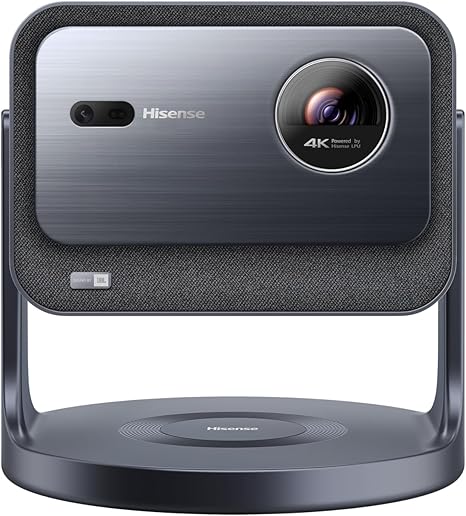
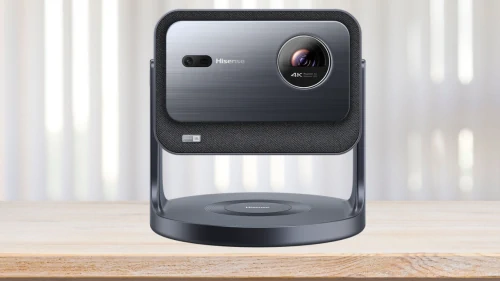
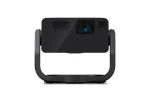
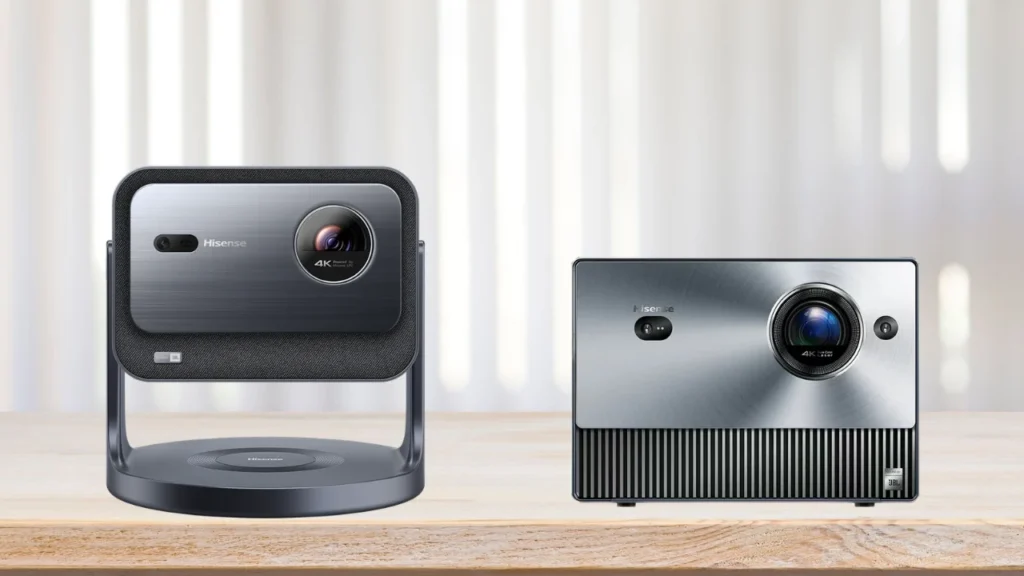
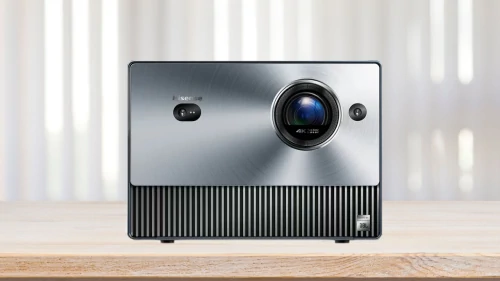
Before diving into the performance comparison, let’s take a look at the specs table to see how the Hisense C2 and C1 stack up on paper. Some key differences stand out right away—for example, the C2 boasts higher brightness at 2,000 ANSI lumens compared to the C1’s 1,600 lumens, and it features 10-bit color processing versus the C1’s 8-bit. The C2 also comes with a more modern design and includes a swivel stand for added flexibility. However, specs don’t always tell the full story, so let’s see how both projectors perform in real-world testing.

Image Quality

Image Quality on Hisense C1

In our image quality test, we evaluated both projectors in both dark and daylight conditions. The Hisense C2, with its 2,000 ANSI lumens, produced a noticeably brighter image compared to the C1’s 1,600 lumens. In a dark room, both projectors delivered sharp and detailed 4K images, but in a well-lit environment, the C2 maintained better visibility, making it the more versatile option for daytime viewing.

Contrast performance also differed. While manufacturers often advertise dynamic contrast ratios, we measured the native contrast of each projector for a more accurate comparison. The Hisense C2 achieved a native contrast of 1,700:1, while the C1 measured slightly lower at 1,500:1. In practice, this meant the C2 delivered slightly deeper blacks and better shadow detail, though both projectors struggled with very dark scenes. The C2 also benefited from its 10-bit color processing, producing smoother gradients and more accurate tones.

Image Quality on Hisense C2

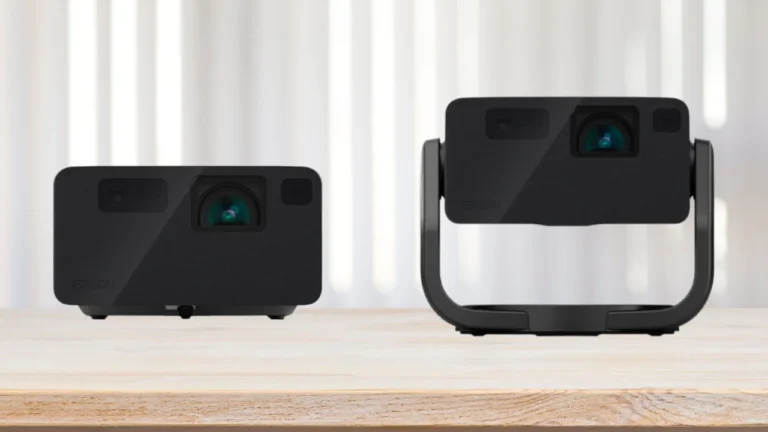
Throw distance and screen size flexibility were another area of comparison. The C1 supports an image size from 65 to 300 inches with a 1.20:1 throw ratio, while the C2’s throw ratio was nearly identical in our tests. This meant both projectors required similar placement distances to achieve the same screen size. However, the C2 introduced a key advantage with its built-in swivel stand, allowing 360° horizontal and 180° vertical adjustments. This made it much easier to fine-tune the projection angle or even project onto a ceiling without additional mounting equipment. Since neither model includes lens shift, precise positioning was still necessary, but the C2’s flexible design made setup more convenient. Overall, the C2’s brightness and adjustability gave it an edge in varied lighting conditions.

Winner: Hisense C2

Gaming and Sound

GAMING ON HISENSE C2

For gaming, we tested both projectors with fast-paced titles to evaluate input lag and overall responsiveness. The Hisense C2 measured an input lag of 12ms, while the C1 came in at 17ms. While these numbers are acceptable for casual gaming, they fall short of the ultra-low latency required for competitive play. In our experience, both projectors handled single-player and slower-paced games well, but slight input delay was noticeable in fast reflex-based games.

Gaming on Hisense C1

When it comes to sound, both projectors feature built-in stereo speakers with 10W output per channel. The C1, however, has the advantage of JBL Audio Solution with Dolby Atmos support, delivering a slightly richer and more immersive soundstage. In direct comparison, the C2’s audio was clear but lacked some of the depth and bass response found in the C1. While either projector is fine for casual viewing, we’d recommend an external sound system for a more cinematic experience.

Winner: Hisense C2

Smart Features

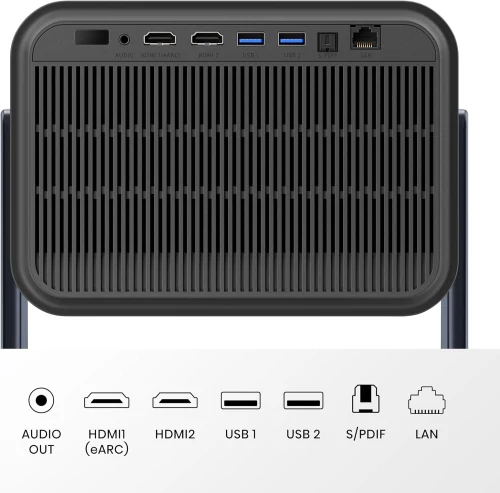
Hisense C2 connectivity

When testing the smart features, we found both projectors to be well-equipped with built-in streaming apps, voice control via Amazon Alexa, and auto-focus for easy setup. The Hisense C2, however, offered a more refined user experience with a smoother interface and quicker app loading times. Navigating menus felt more responsive compared to the C1, which occasionally showed slight delays when switching between apps.

One notable difference was the geometric correction and auto-keystone capabilities. The C2 includes Seamless Auto Keystone Correction and Smart Object Avoidance, which adjusted the image more precisely when we placed the projector at an angle or near obstacles. The C1, lacking these advanced features, required more manual fine-tuning to achieve a properly aligned image.

Hisense C1 connectivity

Both projectors support Dolby Vision HDR, enhancing content quality on compatible streaming platforms. However, we noticed that the C2 handled HDR content with slightly better color accuracy, likely due to its 10-bit processing. Overall, while both projectors provide a solid smart TV experience, the C2 felt more polished with better automatic adjustments and smoother operation.

Winner: Hisense C2

OVERVIEWS:

Hisense C2

The Hisense C2 is the latest addition to the company’s portable projector lineup, offering a brighter 4K image and upgraded features over its predecessor. It uses a triple RGB laser light source with 10-bit color processing and includes modern conveniences like a 360° swivel stand, auto keystone correction, and smart object avoidance. Its design is more compact and stylish, and it handles both dark and bright environments with ease.
Pros

  • Brighter image (2,000 ANSI lumens)
  • True 10-bit color for smoother gradients
  • Modern design with adjustable swivel stand
  • Fast auto keystone and object avoidance
  • Lower input lag (12ms) for casual gaming

Cons

  • Slightly weaker built-in audio compared to C1
  • No lens shift
  • Around $200 more expensive than the C1

Hisense C1

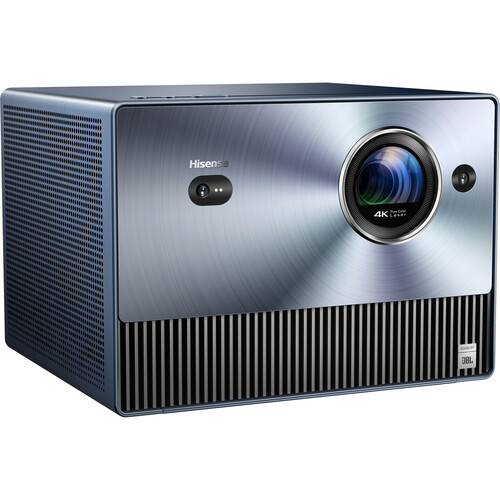
The Hisense C1, released two years prior, remains a capable 4K projector with a solid feature set. It features a TriChroma laser engine, decent brightness, and strong built-in audio powered by JBL with Dolby Atmos support. While it lacks some of the newer automation features of the C2, it still performs well in controlled lighting environments and offers a wide image size range.
Pros

  • Great audio with JBL tuning and Dolby Atmos
  • Large adjustable image size (65″–300″)
  • Solid performance in dark room conditions
  • Slightly more affordable

Cons

  • Lower brightness (1,600 ANSI lumens)
  • 8-bit color processing
  • No auto keystone or object avoidance

Verdict

In our testing, the Hisense C2 emerged as the clear winner in this comparison. With its higher brightness, better native contrast, and 10-bit color processing, it delivers a more vibrant and detailed image, especially in brighter environments. The C2 also features a more modern design with a built-in swivel stand, making setup far more convenient compared to the C1. >>>> Check the current price now  Additionally, its lower input lag gives it a slight edge for gaming, while smart features like Auto Keystone Correction and Smart Object Avoidance make everyday use much easier.

Although the C1 still holds up with decent contrast and slightly better built-in audio, the improvements offered by the C2 justify the approximately $200 price difference. The added brightness alone makes a significant impact, ensuring a better viewing experience in various lighting conditions. Combined with its improved usability and image processing, the C2 offers better overall value, making it the smarter choice for those looking for a premium portable projector.

Hisense C2 vs. C1 Specs Comparison

0
Hisense C2 Hisense C1
Released 2025 2023
Lamp Type RGB Laser RGB Laser
Resolution 3840x2160 3840x2160
Color Processing 10-bit 8-bit
Native Contrast 1,700:1 1,500:1
Brightness (Lumens) 2,000 Lumens (ANSI) 1,600 Lumens (ANSI)
Screen size 65" - 300" 65" - 300"
Speakers 10.0 Watts × 2 10.0 Watts × 2
Measurements 9.70" x 9.70" x 10.00" 7.10" x 9.70" x 8.50"
Price

Check on Amazon

Check on Amazon

LG CineBeam Q HU710PB vs. XGIMI MoGo 2 Pro Specifications

0
LG CineBeam Q HU710PB XGIMI MoGo 2 Pro
Released 2024 2023
Lamp Type Laser Phosphor LED
Resolution 3840x2160 1920x1080
Dynamic Contrast 450,000:1 N/A
Brightness (Lumens) 500 ISO 400 ISO
Screen size 50" - 120" 40" - 200"
Speakers 3.0W 8.0 Watts × 2
Measurements 3.15" x 5.31" x 5.31" 6.33" x 4.68" x 4.25"
OS LG webOS Android TV 11.0

Epson EF-21 vs. EF-22 Specs Side-by-Side

0
Epson EF-21 Epson EF-22
Released 2024 2024
Lamp Type Laser Phosphor Laser Phosphor
Resolution 1920x1080 1920x1080
Color Processing 8-bit 8-bit
Dynamic Contrast 5,000,000:1 5,000,000:1
Brightness (Lumens) 1,000 ISO 1,000 ISO
Screen size 30" - 150" 30" - 150"
Speakers 5.0W x 2 5.0W x 2
Measurements 4.40" x 7.75" x 7.50" 9.30" x 7.50" x 7.50"
OS Google TV Google TV

Epson EF-22 vs. EF-12 Specs Comparison

0
Epson EF-22 Epson EF-12
Released 2024 2021
Lamp Type Laser Phosphor Laser Phosphor
Resolution 1920x1080 1920x1080
Color Processing 8-bit 10-bit
Dynamic Contrast 5,000,000:1 200,000:1
Brightness (Lumens) 1,000 ISO 1,000 ISO
Screen size 30" - 150" 30" - 150"
Speakers 5.0W x 2 5.0W x 2
Measurements 9.30" x 7.50" x 7.50" 5.30" x 6.90" x 6.90"
OS Google TV Android TV

LG C4 vs Sony X90L

0
LG C4 Sony X90L
Model year 2024 2023
Display Type OLED LCD
Display Size 42"-83" 55"-98"
Native Resolution 3840 x 2160 3840 x 2160
Refresh Rate 120 Hz 120 Hz
Inputs 4x HDMI 1x RCA 1x Coaxial F-Type (RF Antenna) 2x USB-A 1x RJ45 4x HDMI 2.1 1x Coaxial F-Type (RF Antenna) 3x USB-A 2.0 1x RJ45
Speakers 4x 40 W 10 W + 10 W + 5 W + 5 W
Smart TV webOS 24 with Android/iOS compatibility Google TV

Formove Theater vs. Theater Premium

0
Formovie Theater Formovie Theater Premium
Lamp Type RGB Laser RGB Laser
Resolution 3840x2160 3840x2160
Contrast 3,000:1 3,000:1
Brightness (Lumens) 1,800 ISO 2,200 ISO
Input lag 43ms 21ms
Throw Ratio 0.23:1 0.21:1
Screen size 80" - 150" 80" - 150"
Speakers 15.0W x 2 15.0W x 2
OS Android TV 11.0 Android TV 12.0

BenQ TK710STi vs.TK700STi Specs Comparison

0
BenQ TK710STi BenQ TK700STi
Lamp Type Laser Lamp
Resolution 3840x2160 3840x2160
Contrast 600,000:1 (dynamic) 10,000:1 (dynamic)
Brightness (Lumens) 3,200 ANSI 3,000 ANSI
Input lag 16.7 ms (1080P 60Hz), 16.7ms (2K 60Hz)*downscaling to 1080p 60Hz, 16.7 ms (4K 60Hz), 4.2 ms (1080P 240Hz), 8.3 ms (1080P 120Hz), 8.3ms (2K 120Hz) *downscaling to 1080p 120Hz 16.7 ms (1080P 60Hz), 16.7 ms (4K 60Hz), 4.2 ms (1080P 240Hz), 8.3 ms (1080P 120Hz)
Throw Ratio 0.69:1 - 0.83:1 0.90:1 - 1.08:1
Screen size 30" - 300" 30" - 300"
Speakers 5.0W Mono 5.0W Mono
Today's Best Price ProjectorScreen.com

Check on Amazon

ProjectorScreen.com


Optoma P2 vs VAVA

0

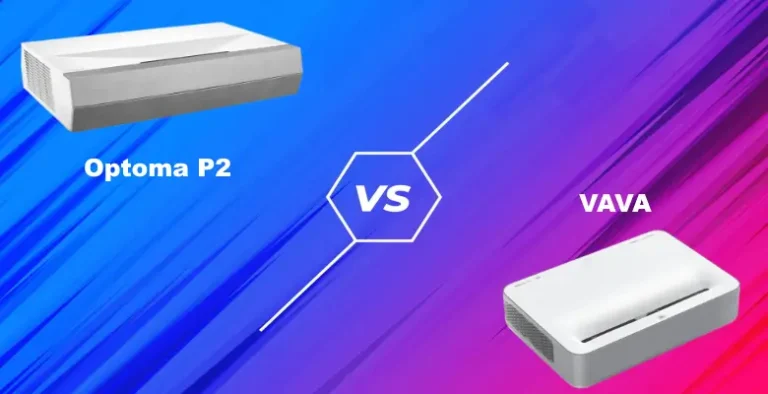
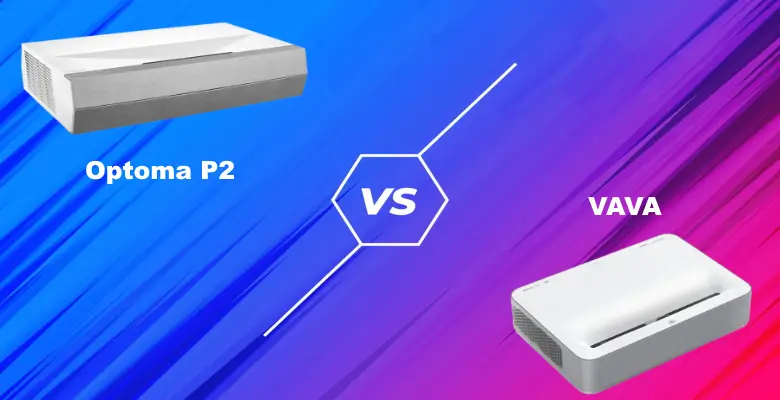
In the realm of 4K laser projectors, both the Optoma P2 and the VAVA 4K are strong contenders, especially for buyers who want both high picture quality and a great value. With their ultra-short throws and smart features, either projector is a flexible way to bring big-screen entertainment to your home.

Considering all the factors together, the Optoma CinemaX P2 is the better projector. For some, though, the VAVA’s smart operating system and powerful built-in sound could make it the more appealing choice (>>> Check the Current Price on ProjectorScreen). Let’s take a look at a few key features side-by-side so you can see what we mean.

Optoma P2 vs VAVA Side by Side:

Optoma P2 VAVA 4K
Resolution 4K 4K
Brightness (Lumens) 3,000 ANSI 2,500 ANSI
Contrast Ratio 2,000,000:1 1,500,000:1
Throw Distance 1.5' - 2.2' 1.4' - 2.5'
Screen size 85" - 120" 80" - 150"
Input lag: 50ms 100ms
Speakers: 40W NuForce soundbar 60W Harman Kardon
Price

Check on Amazon

ProjectorScreen.com

BHPhotoVideo.com
ProjectorScreen.com

Picture Quality

Both of these projectors have 4K resolution with HDR10 support and a wide color gamut. While both get high marks for sharpness and realism, though, the Optoma P2 outperforms the VAVA in two key areas: brightness and contrast.

The VAVA 4K has a relatively low native contrast ratio of around 3,000:1. Its lamp is also dimmer, at 2,500 lumens, which can make it especially prone to quality loss as the light level in the room increases. Conversely, the Optoma CinemaX P2 has a contrast of about 2,000,000:1 and a 3,000 lumen lamp. That means a sharper picture and better black levels at any light level.

Better picture: Optoma P2

Sound

The 40-watt NuForce soundbar on the Optoma P2 is far superior to what you’ll find on most projectors. It has dual woofers as well as two full-range drivers, with Dolby Audio 2.0 support that improves the clarity of the mid-range. Dialogue is easy to understand, and you’ll get decent bass for sound effects and soundtracks.

As strong as the sound on the Optoma P2 is, the VAVA 4K’s soundbar is even better. Its unique design emulates a 2.1 surround sound system, with 60 watts of power for a bigger output. Dolby Audio and dts-HD support prevent signal loss and distortion for an accurate, immersive listening experience.

Better sound: VAVA 4K

Smart Features

The VAVA 4K and Optoma P2 are smart in different ways. The VAVA 4K has a smarter on-board Android 7.1 operating system. This lets you easily download streaming apps like Netflix and Hulu directly onto the projector, rather than relying on external content sources.

The Optoma P2’s smart features are more about integrating into a larger smart home system. It works seamlessly with voice control programs like Amazon Alexa and Google Home and can also be used in IFTTT recipes.

Better smart home integration: Optoma P2

Smarter projector: VAVA 4K

Gaming

Let’s start by saying neither one of these is a gaming projector. For that, you’d want an input lag of around 30ms or lower, something neither of these projectors delivers.

Having said that, the Optoma P2’s gaming mode drops the input lag down to around 50ms. That’s within the acceptable range for most casual players, and for most will be unnoticeable even in reflex-based games like racers and first-person shooters. It’s certainly worlds better than the over 100ms lag of the VAVA 4K, which makes most modern games virtually unplayable.

Better for gaming: Optoma P2


Optoma P2 vs VAVA: Full Reviews

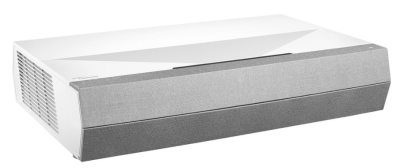
Optoma CinemaX P2

Optoma CinemaX P2

The Optoma CinemaX P2 is a user-friendly smart home theater projector. There’s no need for ceiling mounts, thanks to the ultra-short throw distance, and the lens focuses automatically. For hassle-free alignment, you can download the SmartFIT app on any iOS or Android device. You can also align it manually with the zoom and 2D keystone correction.

Smart home users will find the Optoma P2 just as easy to integrate into their system. It’s compatible with both Alexa and Google Home voice control, for starters. Even more useful is its IFTTT support, which opens up the option of writing custom routines using the projector.

As to the quality of the picture, the Optoma P2 is hard to beat. We’re especially impressed by the contrast. The detail, depth, and realism are consistently strong across the picture and it produces rich black levels, even if you’re using it with the lights on.

Versatility is a big point in the Optoma’s favor, too. Since its input lag is in the acceptable range for casual gaming, you can use it in media rooms and other multi-use spaces. It gives consistent visual quality across content types, too, with PureMotion technology to eliminate blur when you’re watching sports or other fast-paced sequences.

Pros

  • High contrast with HDR10 cinematic color
  • Short throw and bright lamp for more installation versatility
  • Supports IFTTT and voice control
  • Easy alignment with the SmartFIT app
  • Can be used for casual gaming
  • Built-in soundbar with Dolby Digital audio

Cons

  • SmartFIT app doesn’t work well with pull-down screens
  • No content streaming capability

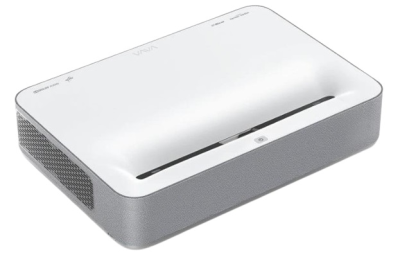
VAVA 4K

VAVA 4K

Like the Optoma, the VAVA 4K has an ultra-short throw ratio. You can get a 150” image with about 2.5 feet of distance, and can produce a clear (albeit smaller) image from just 16” away. It has an 8-point keystone correction for aligning the image as well as electric focus, so the set-up process is fairly simple overall.

One big strength of the VAVA 4K projector is its connectivity. It has bult-in Wi-Fi and Bluetooth, along with both HDMI and USB ports for wired connections. The Android 7.1 smart operating system also means you can download apps and stream content straight through the projector, so you might be able to ditch the streaming stick entirely.

The VAVA 4K performs best in a home theater like environment. When you can limit the room’s light, it delivers a vibrant and detailed picture. The color accuracy is high, with a 3-segment color wheel that gives you all the colors of the Rec. 709 spectrum.

This is also one of the few projectors whose audio performance is on par with its visual quality. The Harman Kardon soundbar that’s built in to the VAVA 4K puts out a lot of volume, with an audio quality that far exceeds what you’d expect from TV or projector speakers. Combined with the streaming capabilities, this makes the VAVA an all-in-one entertainment machine.

Pros

  • Sharp, detailed picture with high color accuracy
  • Easy to set up and align the image
  • Wide range of connection options
  • Ultra-short throw for flexible installation
  • Smart TV system lets you watch content straight through the projector
  • Built-in soundbar with stereo surround speakers

Cons

  • No voice control support
  • Input lag is too high for gaming

What’s the Bottom Line?

Choosing between the Optoma P2 and the VAVA 4K is more about deciding what you want in a projector. With the Optoma, you’ll get the versatility for gaming and a better overall picture quality. The VAVA 4K, on the other hand, is a better all-in-one option, with an impressive soundbar and built-in content streaming (>>> Check the Current Price on ProjectorScreen).

The good news is, you can rest assured you’re getting a durable machine and a good bang for your buck no matter which projector you buy. Good luck in setting up your perfect home theater!

REFERENCES AND FURTHER READING: